Spectral filter
A resonant filter with frequency-dependent time dispersion and modulated refraction.
Windows and macOS. FreeNo account required

Push the filter further
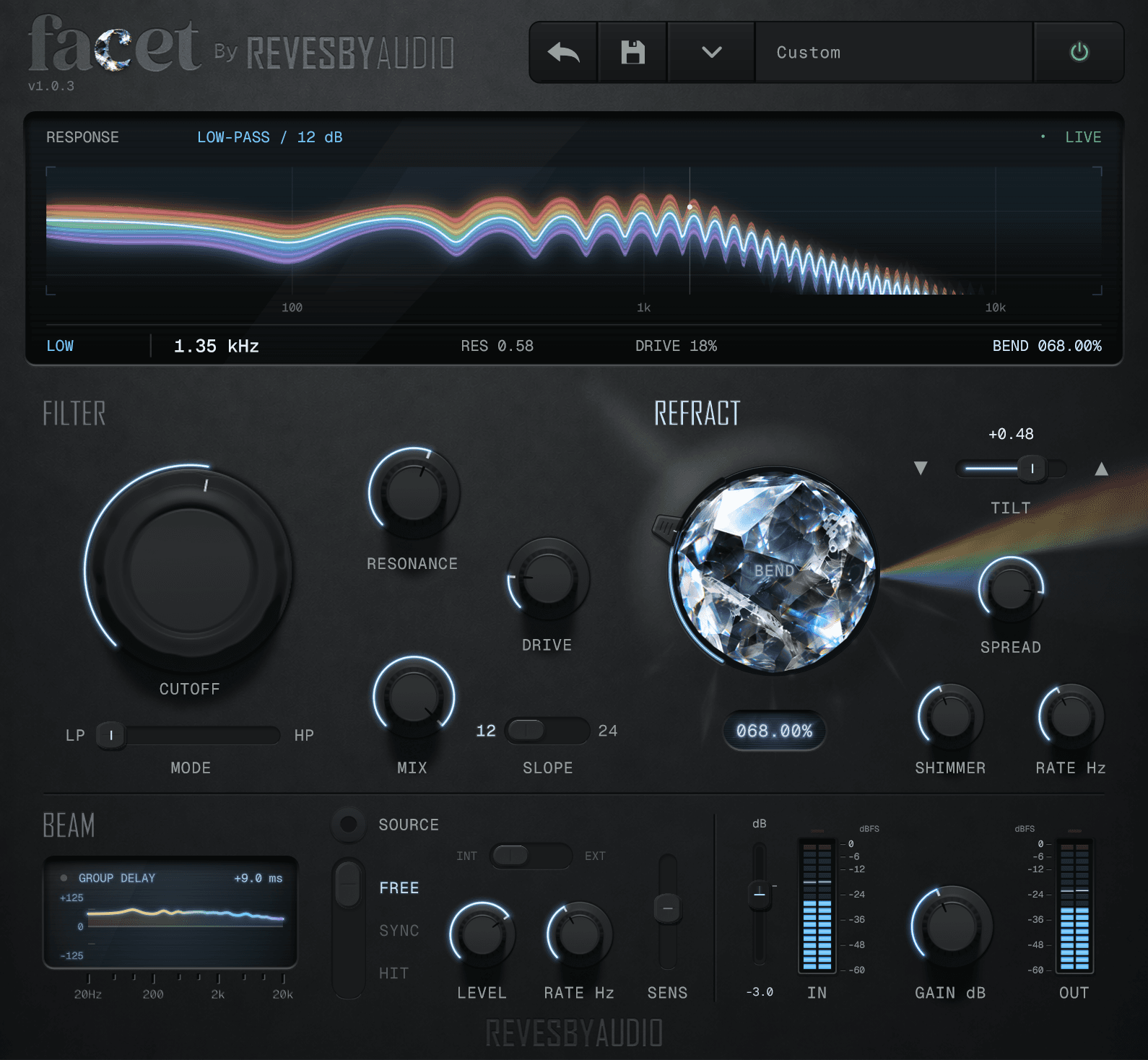
Morph continuously between low-pass, band-pass and high-pass, then use Slope and Resonance to go from broad tonal shaping to sharp, animated peaks.
Add Drive to saturate the resonance for extra weight, colour and bite.
Scatter through the spectrum
Push Bend to throw frequencies out of step, scattering and spreading the sound across the spectrum.
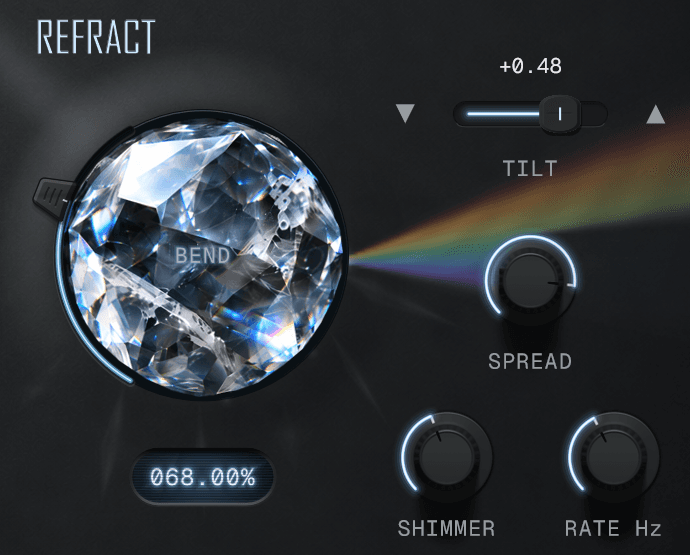
Add Shimmer and Beam
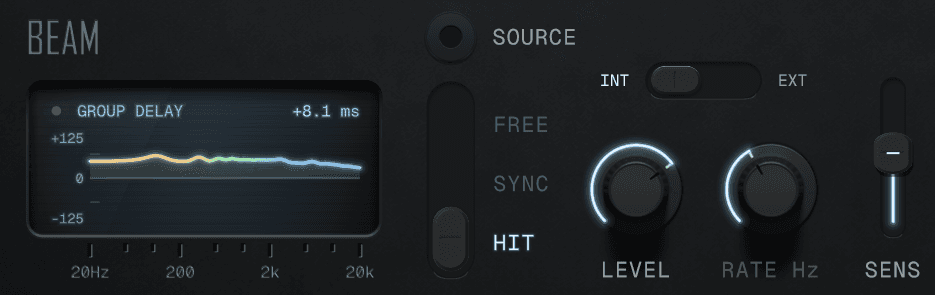
Shimmer moves the refraction over time at a rate you set. Beam strikes the filter: freely, on a note value at the host tempo, or when the input crosses a threshold. Source uses your input to shape each Beam strike.
Features and requirements
| Filter | Cutoff, Resonance and Drive. Mode morphs continuously between low-pass, band-pass and high-pass. Slope sets the cutoff steepness, 12 or 24 dB. |
|---|---|
| Bend | Frequency-dependent delay. Bend sets the amount, Spread the width in octaves, Tilt the band's position above or below the cutoff. |
| Shimmer | Moves the refraction over time. Shimmer sets the depth, Rate the speed. |
| Beam | Strikes the filter freely, synced to a note value at the host tempo, or triggered by the input or an external sidechain. Sens sets the threshold and Level the strength. Source excites Beam with a short burst of the input instead of a generated impulse; off by default, and off in older presets. Free and Sync pause new strikes when the host reports stopped; Hit can respond if the host continues processing audio. |
| Output | Input gain from −24 to +12 dB, dry/wet mix, ±18 dB output gain, input and output meters, and bypass. |
| Requirements | Windows 10 or 11 (64-bit VST3), or macOS 12 or later (universal Apple Silicon/Intel VST3 and AU). Mono and stereo tracks supported. |
| Controls | Factory and user presets, a resizable interface and DAW automation of effect parameters. Hover over or adjust a numeric knob to show its value on the screen; the readout stays after the pointer leaves. |
Download Facet
Install Facet, then restart your DAW or rescan its plugins. Full version, with no account required.
SHA-256 checksum
Facet-1.0.4-Windows-x64.exe
0f70af5d781601431aef49eb2dcd7c3c998ed910530082ddc22b58f7df43a681SHA-256 checksum
Facet-1.0.4-mac.dmg
94cb8781c0fa0d13755922fa58f6c942f15b7c20542551e375c440dde5ae5e6f
Windows 10 or 11, a 64-bit Intel or AMD processor, and a VST3-compatible DAW.macOS 12 or later, Apple Silicon or Intel, and an AU- or VST3-compatible DAW.Installation notes
Changelog
- Now listed under Revesby Audio in your DAW, alongside Revesby Dynamics. Rescan plugins if the previous maker name still shows.
- Sound, controls, presets and registration are unchanged, and existing projects open as before.
- Added macOS support: universal Apple Silicon and Intel builds in VST3 and AU formats.
- Refined the interface with graphite controls, metal logo treatments, and improved lighting and shadows.
- Parameter readouts now remain visible after hovering over or adjusting a control.
- Redesigned BEND with a vertical handle on the crystal’s left side and an always-lit position locator.
- Corrected the crystal’s alignment within its housing and refined the SOURCE toggle.
- Removed the decorative AM panel mark. Audio processing, controls and presets are unchanged.
- Added the metallic Altered Matter logo to the panel.
- Added Source to excite Beam with a short burst of the input audio.
- Initial release.